RoadKill - 2007 Page Banner


How to send a Postcard Greeting

Sending an eCard is easy with EduTel's Postcard script. Just follow the instructions at each step along the way.

We also want to let you know that the eCards are stored in a non-indexed directory so only you and the recipient will know how to find the card. This directory is also pretty secure from spammers, so send your card knowing you will not end up on any junk list.

After you have completed the eCard, you will be given an option for a preview. If you do not like your card, you may edit it and then send it, or just cancel the request. The recipient will receive e-mail advising where to find the eCard.

STEP #1: Select a picture for your postcard


Please select a picture from the list below using the little Radio Button selector. You may only pick one picture per card. If you want to see a full size image of a picture, just click on it. You might want to do that before filling in any information on this page, just so you do not risk losing your work after returning from viewing the image.

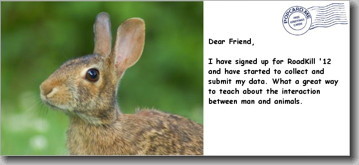
RoadKill 2008 Graphics:  


STEP #2: Name and email information

In the boxes below, please enter both yours and the recipient's name and e-mail addresses.
PLEASE BE CERTAIN OF RECIPIENT'S E-MAIL ADDRESS

Your Name:
Your E-Mail Address:
Recipient's Name:
Recipient's E-Mail Address:

STEP #3: Select your text and background colors

Using the two selector pulldowns below, please select your text and background colors. The script will not check to see if you have both colors set the same, so if you want your recipient to be able to read the card, please select two different colors!

Text Color Background

STEP #4: Enter your greeting & message

In the box below, please enter your message. Please feel free to use HTML to express yourself!

Your Greeting
Your Message
STEP #5: Sign your card
Please fill in below, how you would like to sign your card. Examples would be:
  • Sincerely,
  • Love,
  • Best Wishes,
  • Me!
  • Whatever you like!
STEP #6: Proceed to preview or start over

You are now ready to preview your card! To do so, just click on the PREVIEW button below. If you want to clear the form and start all over, select START-OVER. Your card will not be sent until you press the SEND-CARD button on the preview screen.


About  |  Project Registration  |  Project Protocol  |  Data Entry  |  Lessons & Activities

RoadKill Mysteries?  |  Message Board  |  Post Office  |  Web Resources  |  News & Announcements

| Search RoadKill '08 |


Copyright © 2001-08 Brewster Bartlett and others.
EduTel™ Technology
All rights reserved.
Last updated: February 15, 2008
webmaster@edutel.com
RoadKill - 2008 Page Banner